


Make the picture bigger.
Start a video call from a friend’s conversation. Resize the picture, expand it in the window or go full screen.
 ADL messengerBY ASIA DESIGN LAB
A SKYPE ALTERNATIVE FOR WINDOWS
Same people. A new place to catch up.
Meet ADL Messenger: a free Windows desktop app for encrypted one-to-one video calls, voice calls, chat and file sharing. Bring your favourite people along, see their faces and pick up where you left off.
Download for WindowsFree beta · 64-bit WindowsUnsigned beta · Read before installing · New ADL accounts required

FOR THE CALLS THAT AREN’T MEETINGS.
The long-distance hello. The quick “got a minute?”
The face you’ve missed all week.
Start a video call from a friend’s conversation. Resize the picture, expand it in the window or go full screen.
Choose Call for a voice-only catch-up. A familiar voice, right on your Windows desktop. Sound quality and delay depend on your devices and internet connection.
Call media is encrypted between the two calling devices. Call setup travels through end-to-end encrypted messages, with encryption prepared automatically after sign-in. How protection works →
FIND YOUR NEXT EVERYDAY MESSENGER.
If you used Skype to talk face to face with one person, make a voice call or send a quick message from your Windows PC, you’ll find familiar ways to do that here.
ADL is its own app and network. Your friends need ADL too. It currently focuses on one-to-one calls and desktop chat; it doesn’t reproduce every Skype feature.
| What you’re looking for | In ADL Messenger |
|---|---|
| One-to-one video calls | AvailableEncrypted calls with resizable and full-screen video. |
| Voice-only internet calls | AvailableCall another ADL user from your conversation. |
| Chat and file sharing | AvailableAutomatic encryption for supported chats and attachments. |
| Laptop and desktop PC | AvailableUse the same ADL account on your Windows computers. |
| Group conversations | Text chat availableGroup voice and video conferences are not in this release. |
| Calling phone numbers | Not availableNo landline/mobile-number calling, Skype Numbers or emergency calls. |
| Existing Skype account or contacts | Start fresh with ADLNo Skype login, network connection or automatic contact/history import. |
Install the Windows app, create your ADL account and verify your email. Both people need an ADL account.
Share your ADL contact link or add a friend’s Messenger ID. Your friend approves the request.
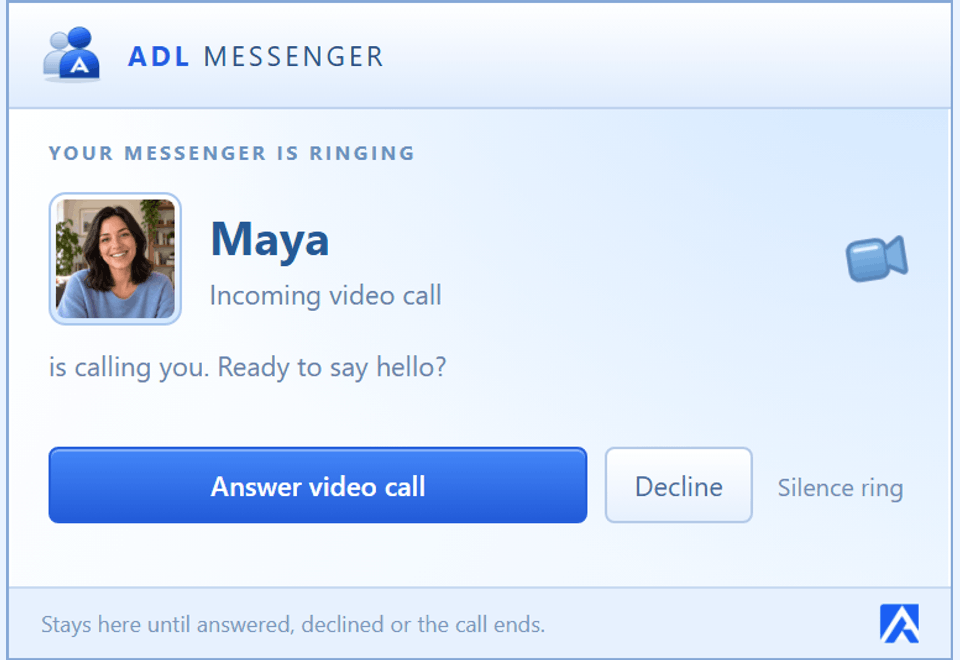
Open your conversation and choose Video or Call. Encryption prepares automatically. The other person gets a ringing popup.
AFTER SKYPE. BEFORE YOUR NEXT CALL.
The consumer Skype service retired on 5 May 2025. Microsoft’s retirement notice explains the transition to Teams Free; Skype for Business is separate. ADL Messenger is an independent alternative for people who want a Windows app for one-to-one calls and chat.
You’ll need a new ADL account with a verified email address. ADL Messenger uses its own accounts and servers. It doesn’t import Skype contacts, credit or chat history, and it can’t call people on Skype or Teams.
Yes. One-to-one voice and video calls are encrypted, and protection starts automatically after sign-in. Comparing security details with a contact is optional. Our encryption has not received an independent security audit. Read our privacy and security explanation for the scope and limits.
The current ADL Messenger Windows beta is free to download and use. Your normal internet/data charges still apply. It is an unsigned 64-bit Windows desktop app, so Windows may show an unknown-publisher warning. Check the current release notes before installing. This release is not a mobile or browser calling app.
ADL currently offers app-to-app calls between two people. It does not call ordinary phone numbers, provide Skype Numbers or support emergency calling. Group text conversations are available; group voice and video conferences are not in this release.
Send encrypted messages and files, change your status, share a display picture, and enjoy nudges, emoticons and winks. A Windows tray icon and separate conversation windows bring back a little of the classic messenger feeling. Explore the MSN Messenger-inspired side of ADL →
Read the Terms, Software Licence and Privacy Policy. New accounts and a verified email are required.