


 Jamie– do not nudge (please nudge)
 Sam– See you tomorrow.
 Alex– brb, making tea ☕
 Video
Video Call
Call Send file
 Activities
 Nudge
Nudge Wink
Wink Voice clip
Automatic, from your first hello.
Normal chats need no security setup. Keys are remembered on first use; compare numbers or emoji for an optional independent identity check.
 ADL messengerBY ASIA DESIGN LAB
Your people. All day long.
With privacy built for today.
The MSN Messenger feeling you missed, with automatic encrypted chat and private one-to-one video and voice calls. A proper ring. A bigger picture. A real hello.
A real Windows app. A little piece of the old internet.
Unsigned beta · Read before installing
ADL Messenger
 Encryption Active
 +Find a contact or chat… ⌕↗⚙A familiar hello.ASIA DESIGN LAB · MESSENGER Maya — ADL Messenger
 Encryption activeSecurity & verify devices
Interactive preview · v0.5.14 · Messages stay in this page.
Some catch-ups deserve more than a message.
Click Video or Call and bring your people closer. Your one-to-one voice and video are encrypted between the two calling devices. Incoming calls ring in an ADL popup that stays while the call is waiting.
Video adapts to your camera and connection. Echo cancellation and noise reduction are requested. Quality and latency vary; a stable connection and headphones can help.
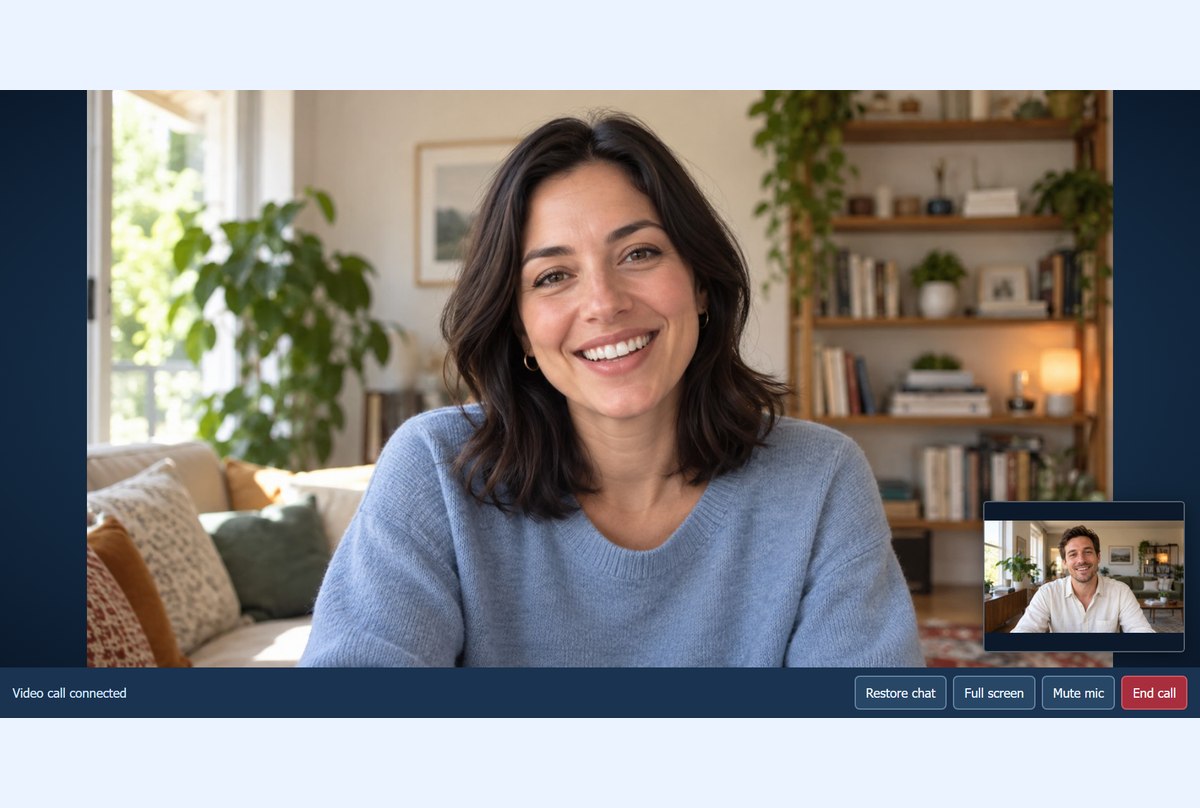
Calls, messages and new friends.
Familiar Windows popups, made for ADL.
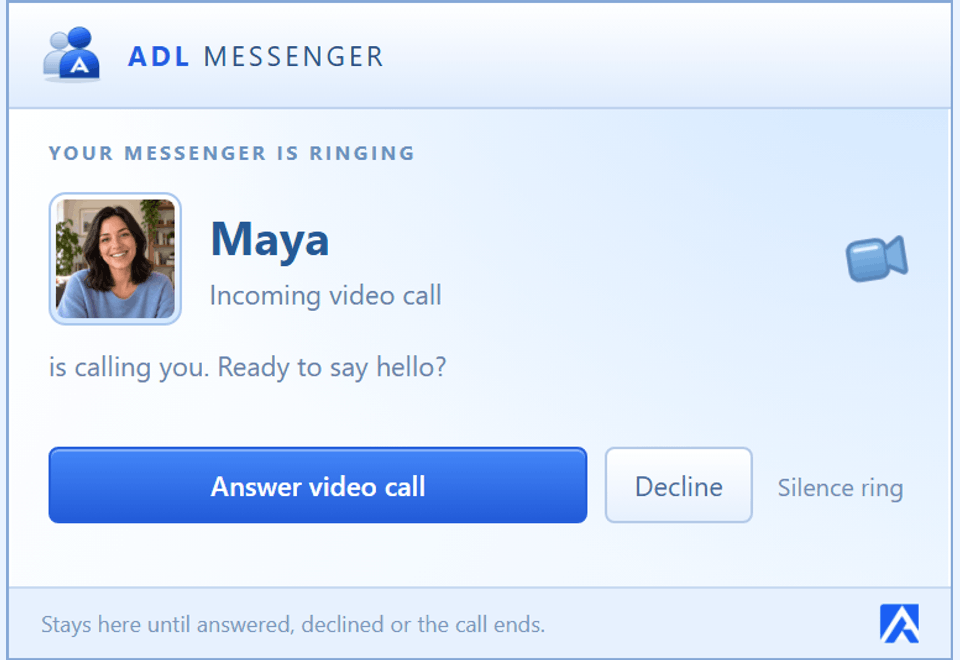
An incoming voice or video call rings with its own desktop popup. Answer, decline or silence the ring.
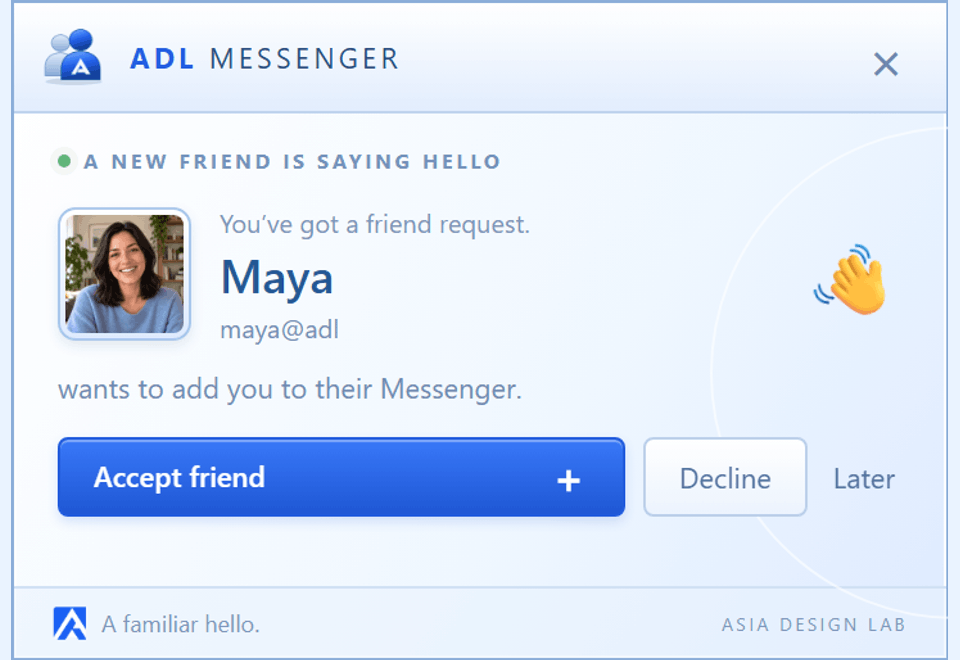
New friend requests arrive with an ADL chime. Accept your friend, decline, or come back later.
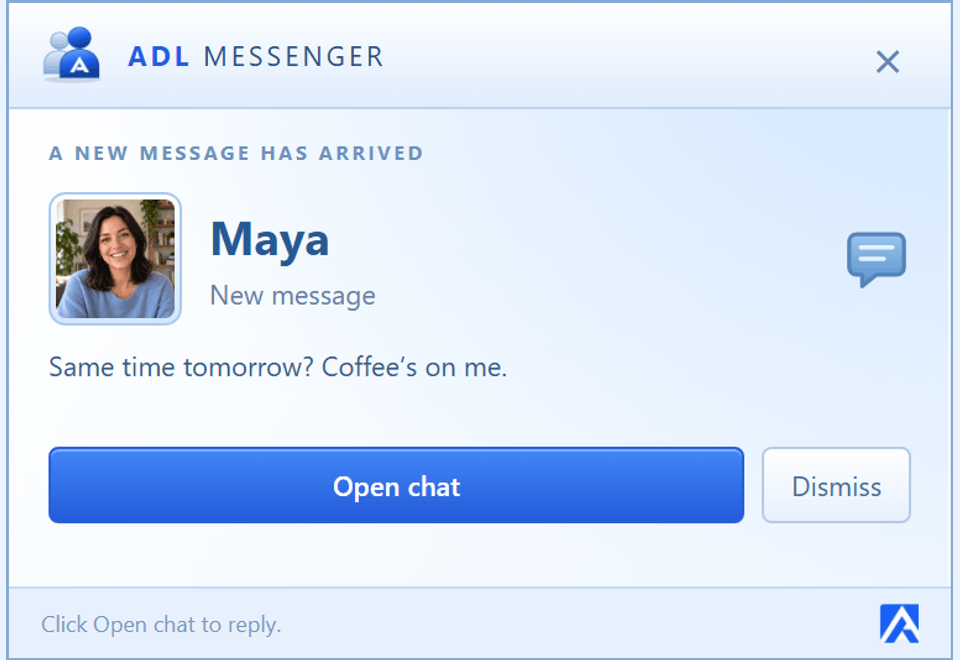
A new-message popup brings your conversation back with one click. You choose your sound and alert settings.
Desktop alert captures from ADL Messenger 0.5.10, with a fictional contact. Call alerts stay while the invitation is waiting; ordinary message alerts are brief. Alert and sound preferences apply.
Encryption starts automatically after sign-in. Your messages and files are encrypted on your PC before upload, with keys shared to enrolled participant devices. No activation switches.
How your conversations are protected A private helloNormal chats need no security setup. Keys are remembered on first use; compare numbers or emoji for an optional independent identity check.
Attachments are encrypted before upload. Their names and decryption details stay inside the protected message.
Save an encrypted key backup with a separate passphrase. A password reset cannot recover lost message keys.
The current version automatically prepares your device and new or older chats after normal sign-in. First-use trust relies on the authenticated ADL device directory; optional comparison adds independent assurance. Changed known keys are blocked. Earlier plaintext history, game moves, profiles and delivery metadata remain outside this protection. No independent security audit has been completed.
Devices & key backupsMiss the contact list, the personal messages and the small green dot? ADL Messenger brings that MSN-era desktop chat feeling to a new, independent service. Just your friends, their status, and a window of your own.
Looking for MSN Messenger or Windows Live Messenger today? Meet ADL Messenger
Classic instant messaging for Windows.
Made our own, by Asia Design Lab.
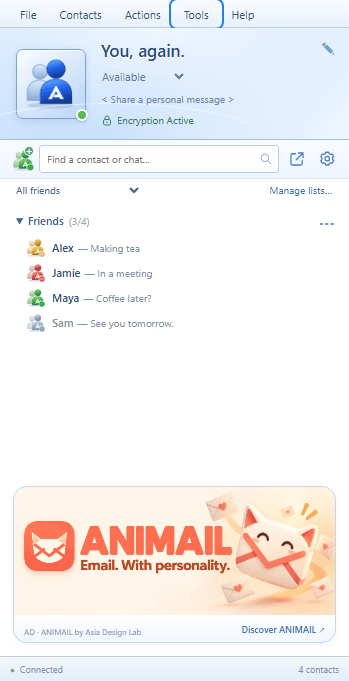
Compact status icons.
Private lists that sync to your devices.
A contact list you can tuck away. Separate conversations. A familiar icon beside the clock that changes with your status and unread messages.
Contact cards with privacy controls. Your own emoticons, sound-enabled winks and nudges that shake the chat. Even your colours, background and favourite song.
Sign in on your laptop and PC. Each device prepares encryption automatically for future messages. Use an encrypted key backup to recover earlier protected history.
NEW · YOUR MESSENGER, YOUR LANGUAGE English, French, Dutch, German, Italian and Spanish. Choose your language during installation, or change it instantly in Settings. Your people. All day long.
NEW · PASTE A LITTLE MOMENT Screenshot? Photo? Copy it, press Ctrl+V in your chat and preview before sending. Your image travels as an end-to-end encrypted attachment, with a thumbnail for your friend.
NEW · A CONVERSATION WAITING Messages waiting for an offline friend? Send a thoughtful email reminder from their contact menu or chat. After 24 hours away, one reminder per friend’s inbox each day. Their messages stay private, and they can switch reminders off.
Also in the app Encrypted voice clips · Share a contact · Online chimes · Offline messages · Custom backgrounds
Your ADL Messenger.
Private conversations. Personal touches.
Record up to 15 seconds, listen back, then send. End-to-end encrypted, with playback right inside your chat.
Pick who sees your profile and updates, introduce a friend, play a wink or change your chat background. Listening status is yours to switch on.
Add an ADL card to your website with real availability. Visitors open the Windows app or download it, sign in and start a separate encrypted support chat. Finish support when you are done; its history stays in Completed support.
Create your website support widgetOffline messages are queued for contacts with an existing secure device. Website support uses a Windows app and ADL account; it connects to one support account, with one-to-one calls. Support customers are separate from friends.
That old Messenger feeling. Automatic encrypted chats, files, video and voice calls.
Download for Windowsv0.5.14 · Free beta · 64-bitRead the Terms, Software Licence and Privacy Policy before using ADL Messenger.
A friendly heads-up. ADL Messenger is currently an unsigned Windows beta. Read the release notes before installing. Use the installer for Windows contact links; the portable edition doesn’t register them. One-to-one calls target 720p video with requested echo cancellation and noise reduction. Quality, frame rate and latency depend on camera, microphone, computer and connection. Wider real-device testing continues.
The five newest releases. Download the latest version.
A familiar hello in six languages: English, French, Dutch, German, Italian and Spanish. Choose your language in setup or change it instantly in Settings.
Unsigned Windows beta. Publisher signing remains paused. Encryption has not had an independent security audit.
d3e2e3c44163ecd36bcd4e774acc73cd94b59e81b2275b8bd4e013378576ab0eCompact classic contact controls, account settings in the menu, and beautifully rounded promotional banners.
Unsigned Windows beta. Publisher signing remains paused. Encryption has not had an independent security audit.
A compact contact list with coloured ADL status icons and private friend lists that sync between your computers.
Unsigned Windows beta. Publisher signing remains paused. Encryption has not had an independent security audit.
Paste clipboard images straight into encrypted chats, with a preview before sending. A small labelled banner introduces other apps and offers from the ADL team.
Unsigned Windows beta. Publisher signing remains paused. Encryption has not had an independent security audit.
Website support now has its own conversations, a Finish support action and a completed-chat archive. Read messages stay read across your devices.
Unsigned Windows beta. Publisher signing remains pending. Encryption has not had an independent security audit.
Download the latest version for current features and fixes. Older entries are release notes only.
Install the Windows app, choose your Messenger ID and verify your email.
Copy your contact link or add a friend’s Messenger ID. They approve the request.
Device and chat encryption start automatically. Set your status, send a message or start a private video call. Device comparison is optional.
English, French, Dutch, German, Italian and Spanish. The Windows installer asks for your language. Change it at any time in Tools → Messenger options → General → Language, without restarting or signing out. Your messages and contact names stay as they are. More languages are planned.
Yes. ADL Messenger is an independent MSN Messenger alternative by Asia Design Lab, inspired by the Windows Live Messenger 2009 era. It uses ADL accounts and servers, our own branding and artwork. It doesn’t connect to Microsoft’s retired Messenger network or import old Microsoft contact lists.
It’s a real Windows desktop app, with a contact list, separate conversation windows and a notification-area icon beside the clock. This website is where you download it and find releases.
Yes. Install the latest version on each computer and sign in with the same ID or verified email. Contacts and read status are shared. Encryption starts automatically on each PC for future messages. Use a separate encrypted key backup to restore earlier protected history. Account & devices lets you sign out other computers.
You’ll need a new ADL Messenger account. Choose your ID in the Windows app and verify your email. If you’ve already made an ADL account, keep using it; you don’t need to create another account when upgrading.
Connections to the ADL service use HTTPS and secure WebSockets. Version 0.4.4 automatically prepares device and conversation encryption after ordinary sign-in, including file attachments. Keys are remembered on first use through the authenticated device directory. Comparing numbers or emoji with your friend is an optional extra identity check. Earlier history, shared game moves and delivery metadata remain visible to the service. Keep a separate encrypted key backup; password reset cannot recover message keys. The encryption integration has not received an independent security audit. Your recovery email is private and isn’t included in your public contact card.
Yes. Start a one-to-one internet call with an ADL contact. Voice and video media use WebRTC DTLS-SRTP encryption, and call setup travels inside encrypted messages. Enlarge the video, fill the window or go full screen. Video capture targets 720p at 30 fps; echo cancellation and noise reduction are requested. Actual clarity and delay depend on both computers, devices and networks. These are app-to-app calls, not calls to ordinary telephone numbers.
Calls currently connect two people. Group text chat is available; group voice/video conferences are not in this release.
Yes. Messenger checks shortly after launch and every 15 minutes while running. A dedicated ADL update popup appears even when Messenger is in the tray. Download the update or choose Remind me tomorrow; an update banner stays available in Messenger. You choose when to install. Existing 0.4.1–0.4.2 clients receive their update dialog when Messenger is visible or reopened. Install the latest release once to get the new desktop popup.
The current beta is unsigned, so Windows may show an unknown-publisher warning. Publisher signing remains on our launch checklist. If you don’t want to run an unsigned beta, wait for a signed release.
Discover apps and businesses from the Messenger banner. A small introduction, from our corner of the internet to yours.
Want your business here? Let’s talk ↗Advertisements · Managed by the ADL team. Opens the advertiser’s website. No personalisation from your private chats.
Your people.
All day long.
The hello doesn’t stop here.
Meet other Messenger fans, share what you miss and help shape what comes next. Come say hello.
Find your people on Discord.
Join the ADL Messenger community for conversations, ideas, help and a little desktop-chat nostalgia.
Join our Discord server ↗ (opens in a new tab)A familiar face in your feed.
Follow ADL Messenger on Facebook for app news, new features and moments worth bringing back.
Follow us on Facebook ↗ (opens in a new tab)Discord and Facebook open on their own websites. Please keep account details and private chats out of public posts.