 Jamie– do not nudge (please nudge)
 Sam– See you tomorrow.
 Alex– brb, making tea ☕
 Video
 Call
 Send file
 Activities

 Nudge
 Wink
 Voice clip
Voice notes and video messages
Send a voice note up to 15 seconds or a video message up to 30 seconds. A blue microphone shows when your voice note has been played.
 ADL messengerBY ASIA DESIGN LAB
 EnglishEnglish
 Français
 Nederlands
 Deutsch
 Italiano
 Español
 Afrikaans
 አማርኛ
 العربية
 azərbaycan
 български
 বাংলা
 bosanski
 català
 čeština
 Cymraeg
 dansk
 Ελληνικά
 eesti
 فارسی
 suomi
 Filipino
 Gaeilge
 ગુજરાતી
 Hausa
 עבריתहिन्दी
 hrvatski
 magyar
 Indonesia
 íslenska
 日本語
 қазақ тілі
 ខ្មែរಕನ್ನಡ
 한국어
 ລາວ
 lietuvių
 latviešuമലയാളംमराठी
 Melayu
 မြန်မာ
 norsk bokmål
 नेपालीਪੰਜਾਬੀ
 polski
 português
 română
 русский
 සිංහල
 slovenčina
 slovenščina
 Soomaali
 shqip
 српски
 svenska
 Kiswahiliதமிழ்
 ไทย
 Türkçe
 українська
 اردو
 o‘zbek
 Tiếng ViệtÈdè Yorùbá
 中文(中国)
 中文(台灣)
Your people. All day long.
With privacy built for today.
The MSN Messenger feeling on Windows and Android, with encrypted chats, voice notes and video calls. Send a nudge or catch up face to face.
68 app languages on Windows and Android
A real Windows app. A little piece of the old internet.
Windows release candidate · Read before installing
ADL Messenger
 Encryption Active
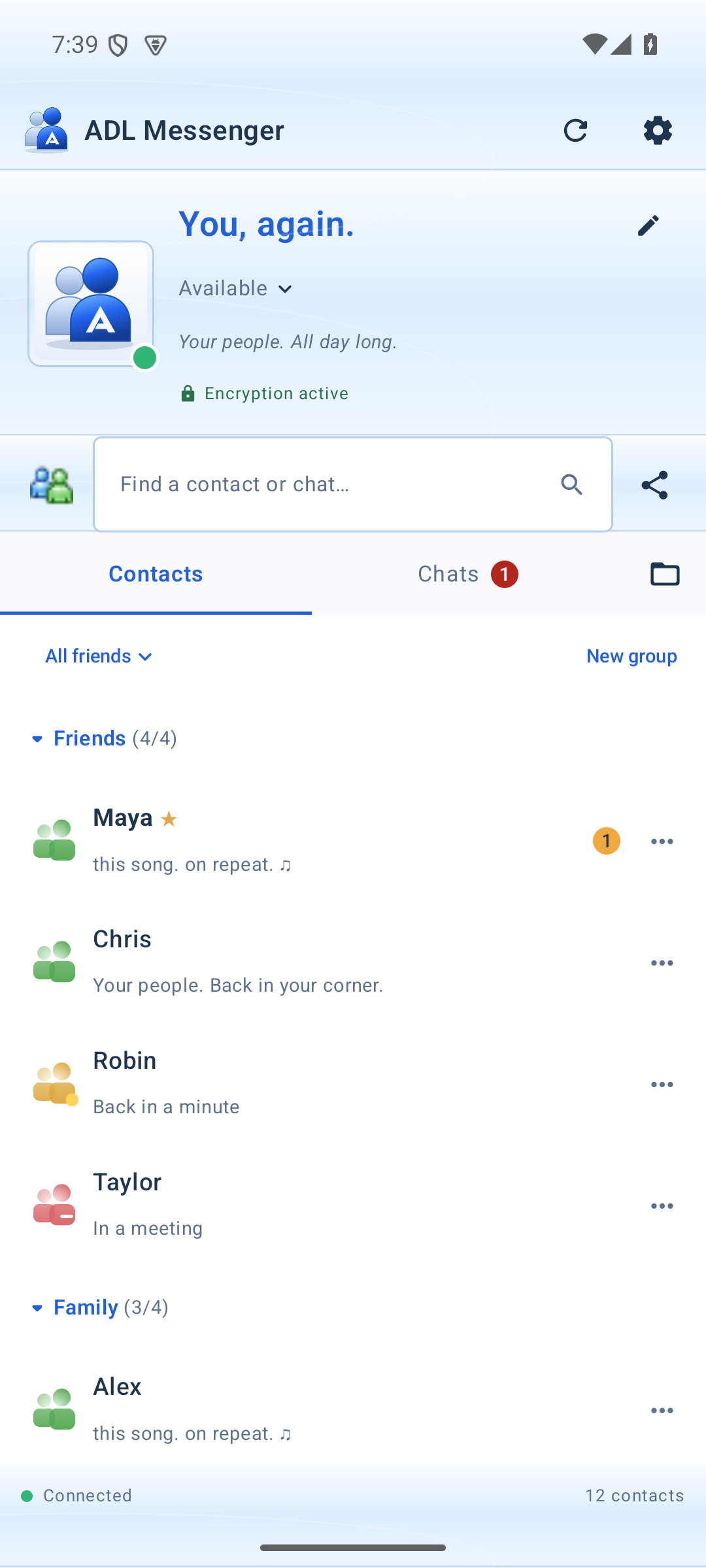
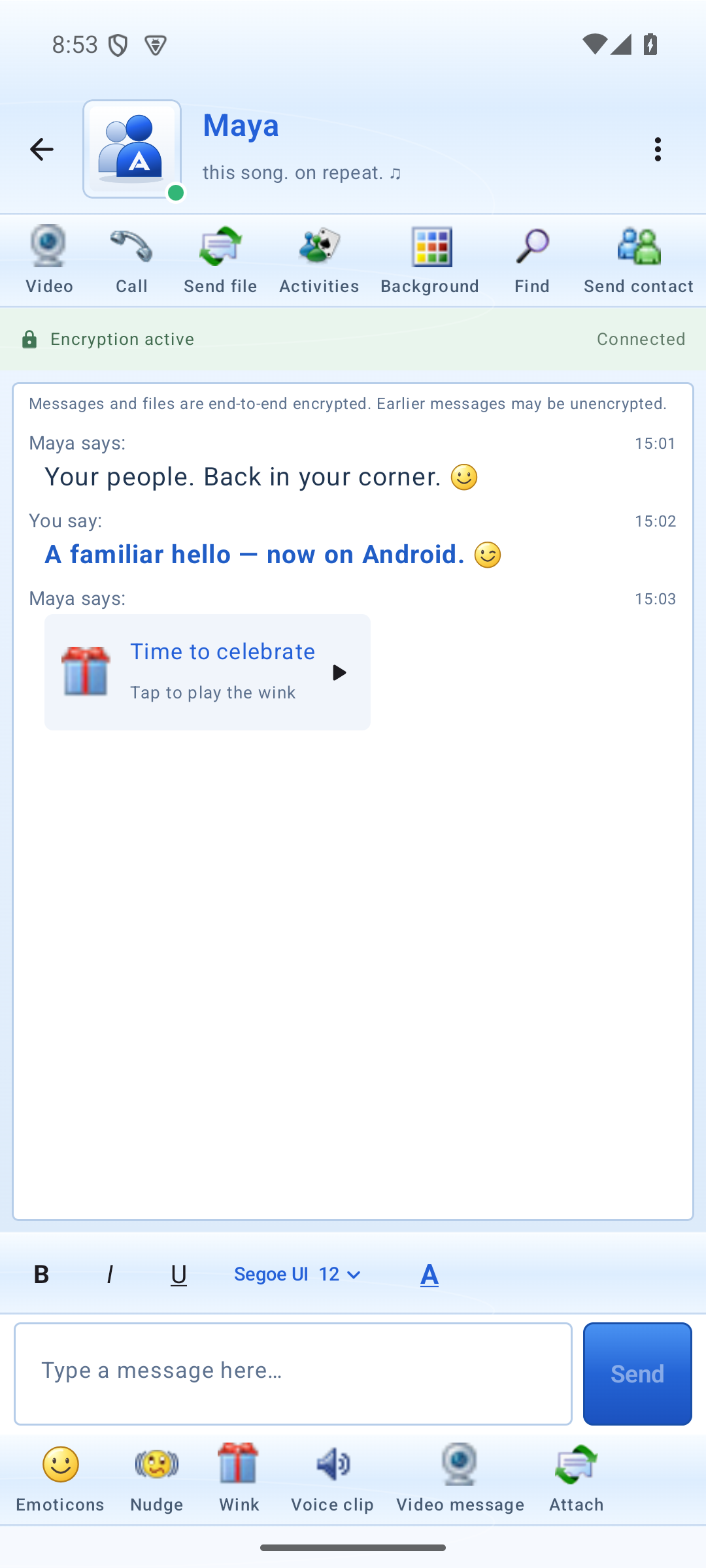
 +Find a contact or chat… ⌕↗⚙A familiar hello.ASIA DESIGN LAB · MESSENGER Maya — ADL Messenger
 Encryption activeSecurity & verify devices
Interactive preview · v0.5.14 · Messages stay in this page.
Take your Messenger friends with you. Chat, call and send a nudge from your phone.
Android 8 or later · 68 app language choices
Beta software for testing. Use at your own risk.
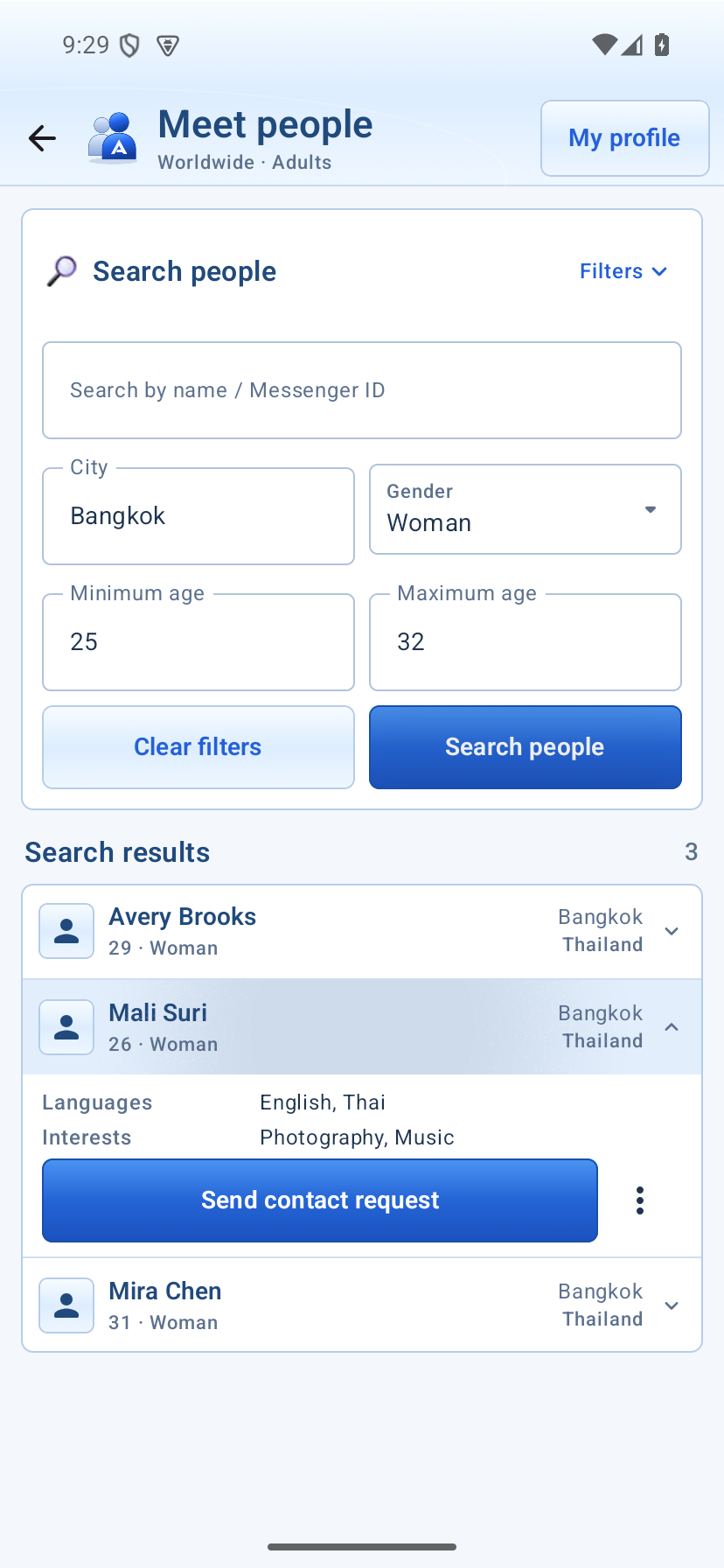
In Meet People, the search form fits above the keyboard on smaller screens.
My profile shows a ten-digit Messenger UID alongside your existing Messenger ID. Copy the number to share it.
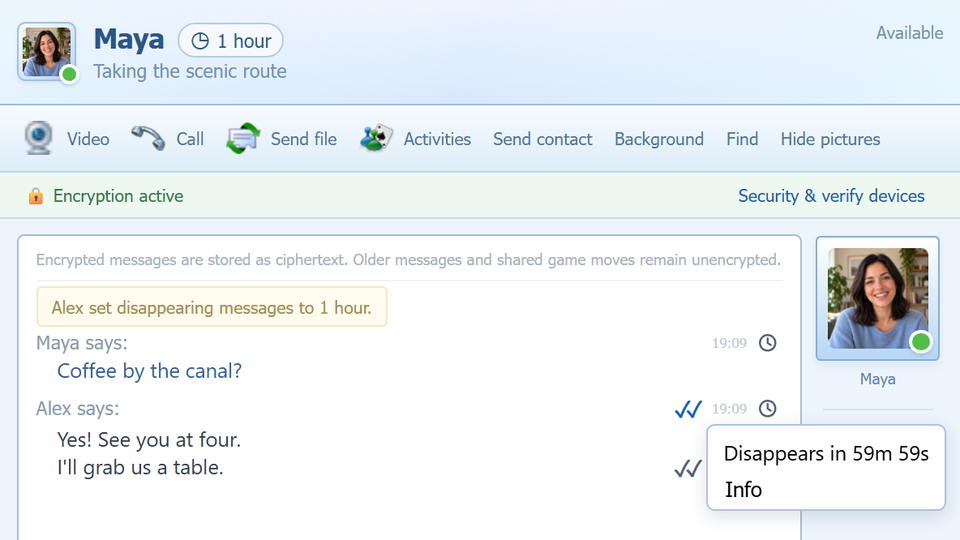
Delivery and read ticks appear just before the time. Press and hold a sent message and choose Info for delivery, read and playback times. A new disappearing message starts counting down at its first read by someone else.
To change a chat’s timer on Android, open Disappearing messages in the three-dot menu. When a timer is on, the clock at the top of the chat also opens these settings.
Group creators can delete a group after confirmation. Other members can leave it from Conversation information.
Group chat and video call invitation emails, with separate controls in Settings and links that open the right group. Calls always need your tap to join.
Check for updates, download and start installation in App updates. Turn on Automatic updates and allow Messenger to install them in Android settings. If Android asks for confirmation, follow its prompt.
When Android gives call audio to another app, Messenger goes on hold. Other participants see the hold status. Messenger resumes when Android returns the audio.
Enable notifications on a phone with Google Play services for background message and call alerts. Callers also need the latest Messenger for Windows or Android.
Older encrypted messages and files can unlock automatically when you use the same account and an updated device with the original keys is signed in.
Android APK checksum
88,727,248 bytes
cdb784a6990016c0c1c1d88dc13b8227a3c34f7c4b6c2888d66199a32e8a2217
Meet People on Windows and Android
Practise a language or find someone who loves the same games. Choose whether to join the directory and whose hello to accept.
Ages 14–17 have their own directory. Adults can combine city, country, age and gender in one search.
Explore Meet People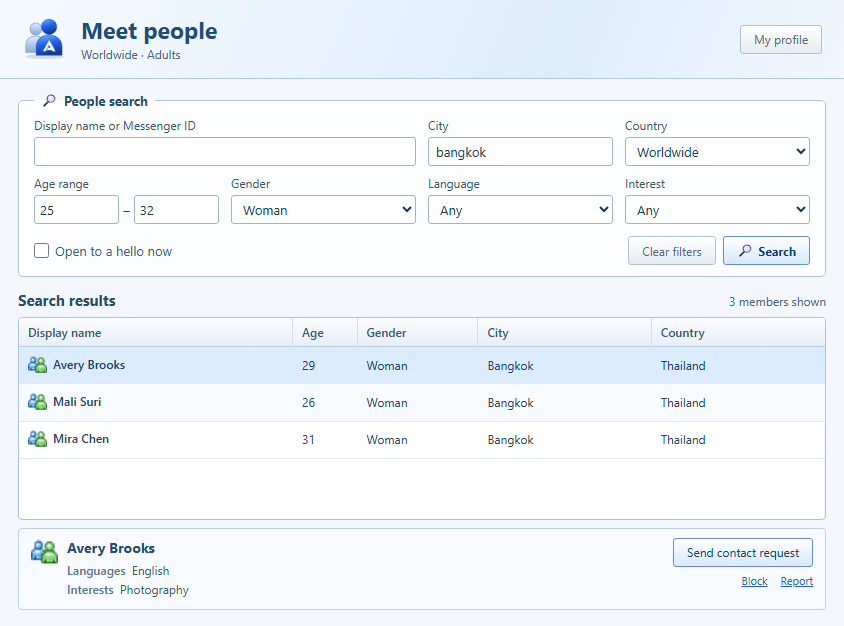
See when your message arrives, who has read it and how long it will stay.
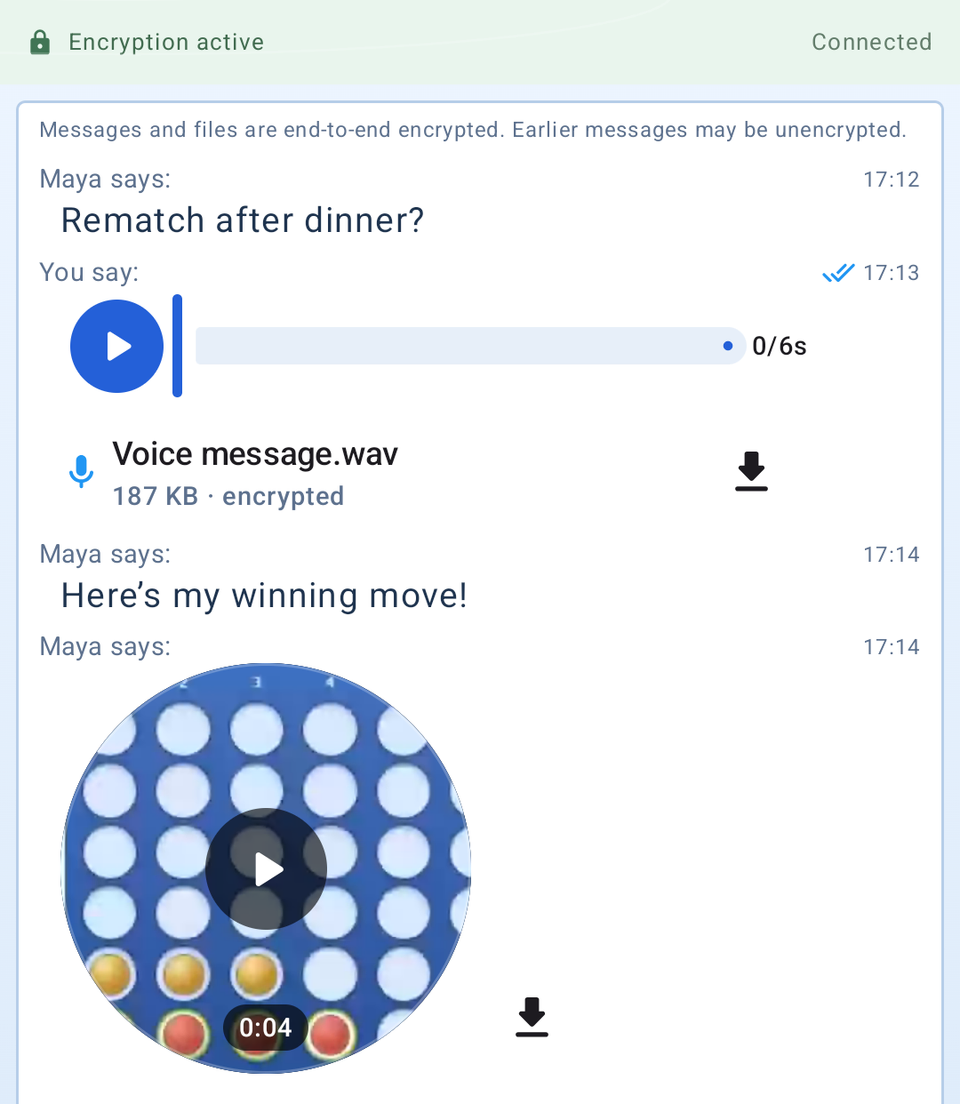
Send a voice note up to 15 seconds or a video message up to 30 seconds. A blue microphone shows when your voice note has been played.
Send a few messages in a row. The newest stays above the keyboard, even as your draft grows. Scroll up to read earlier messages and your place is saved while replies come in.
Add a Messenger contact card to your website so visitors can reach your support team.
Some catch-ups deserve more than a message.
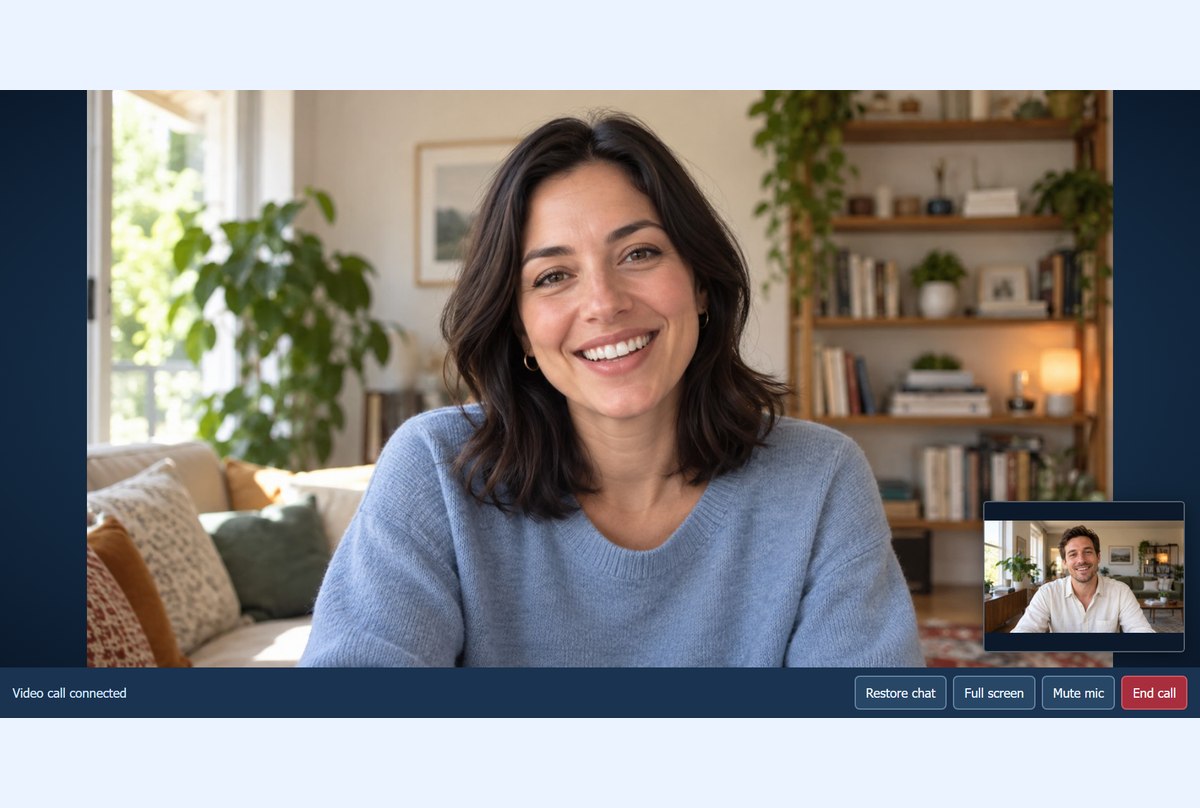
Start a one-to-one voice or video call with end-to-end encryption. If Android interrupts the call audio, ADL pauses your microphone and camera. Friends on Windows and Android can see who’s on hold.
On Android, tap Audio during a call to switch between the phone speaker, Bluetooth earbuds and a wired headset.
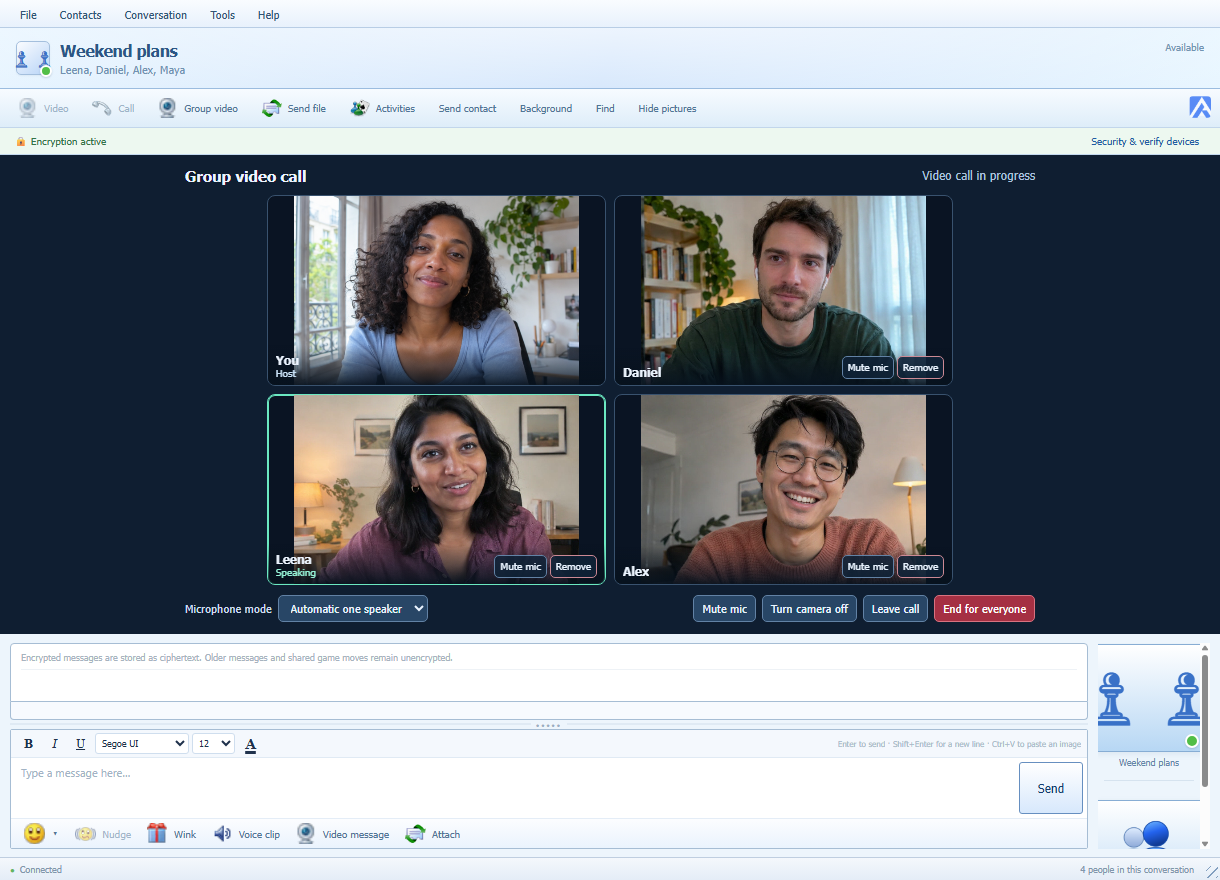
Start a video call from a group chat with up to four people, including you.
The host can let everyone speak together or make only the active speaker audible. The host can also mute microphones, remove people or end the call for everyone.
Calls, messages and new friends.
Familiar Windows popups, made for ADL.
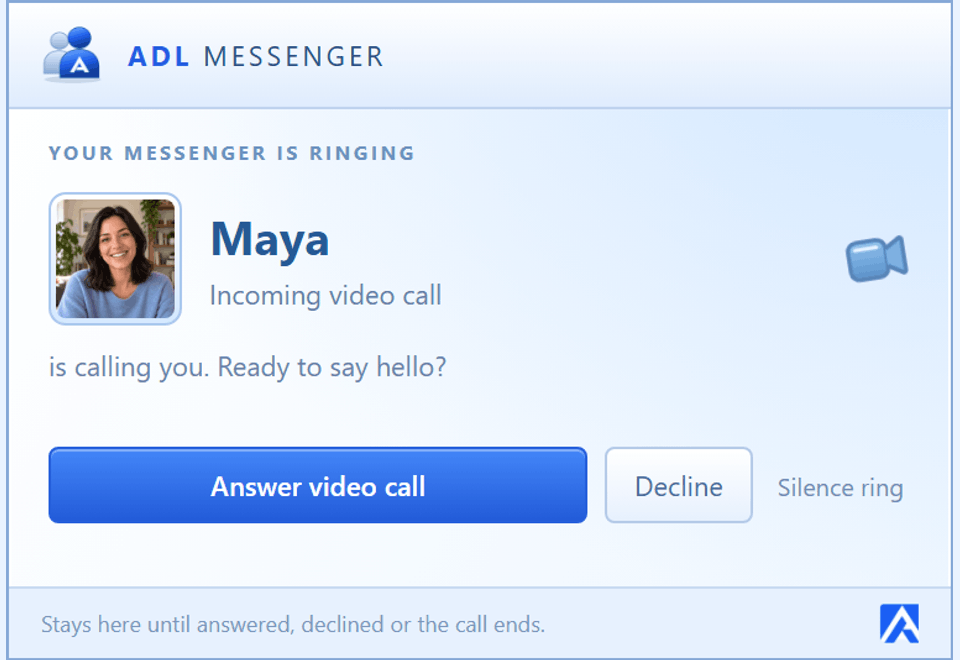
An incoming voice or video call rings with its own desktop popup. Answer, decline or silence the ring.
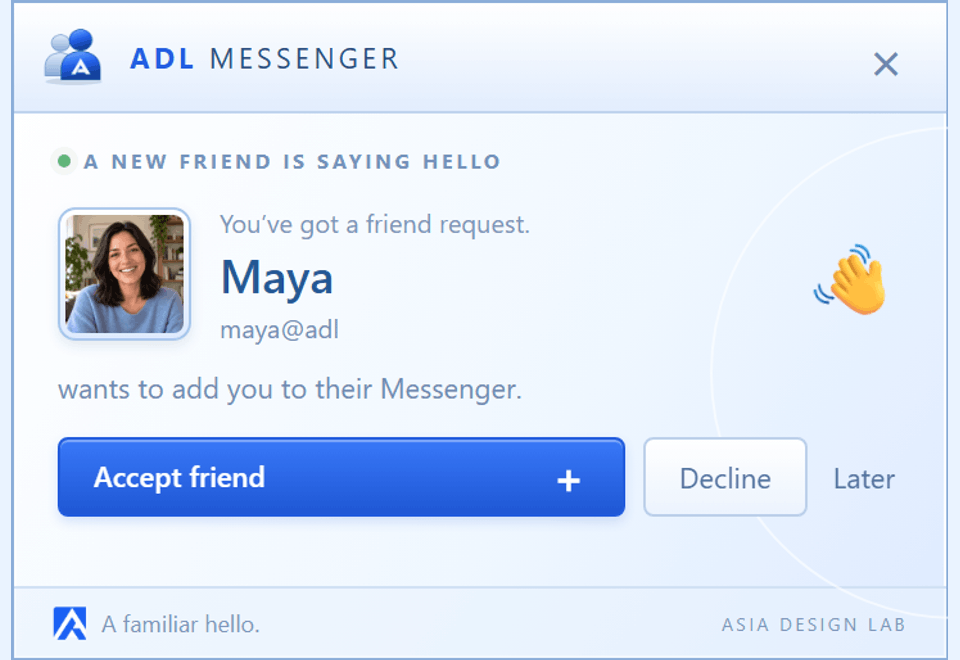
New friend requests arrive with an ADL chime. Accept your friend, decline, or come back later.
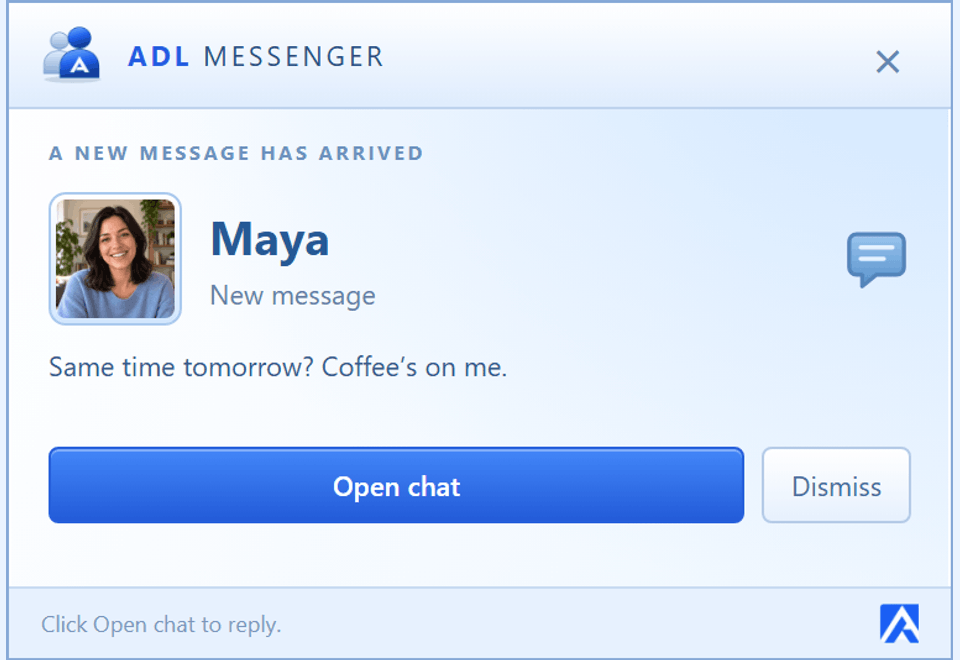
A new-message popup brings your conversation back with one click. You choose your sound and alert settings.
Desktop alert captures from ADL Messenger 0.5.10, with a fictional contact. Call alerts stay while the invitation is waiting; ordinary message alerts are brief. Alert and sound preferences apply.
Encryption starts automatically after sign-in. Your chats and files are protected before they leave your computer. No activation switches.
How your conversations are protected A private helloNormal chats need no security setup. Keys are remembered on first use; compare numbers or emoji for an optional independent identity check.
Attachments are encrypted before upload. Their names and decryption details stay inside the protected message.
Save an encrypted key backup with a separate passphrase. A password reset cannot recover lost message keys.
Encryption starts automatically for new messages, including in older chats. You can compare security details with a friend for extra reassurance. Earlier unencrypted history and shared game moves remain outside this protection. Profiles and delivery information are not private message content.
Devices & key backupsMiss the contact list, the personal messages and the small green dot? ADL Messenger brings that MSN-era desktop chat feeling to a new, independent service. Just your friends, their status, and a window of your own.
Looking for MSN Messenger or Windows Live Messenger today? Meet ADL Messenger
Classic instant messaging for Windows.
Made our own, by Asia Design Lab.
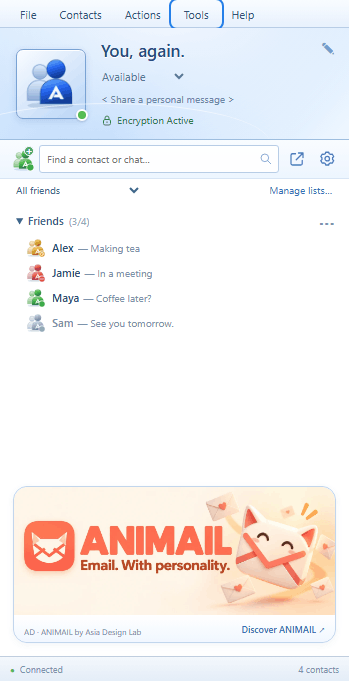
Compact status icons.
Private lists that sync to your devices.
A contact list you can tuck away. Separate conversations. A familiar icon beside the clock that changes with your status and unread messages.
Contact cards with privacy controls. Your own emoticons, sound-enabled winks and nudges that shake the chat. Even your colours, background and favourite song.
Sign in on Windows and Android with the same account. An updated device with the original keys can restore your earlier encrypted history.
APP LANGUAGES Choose from 68 interface languages on Windows and Android, including Thai (ไทย), Arabic, and Simplified and Traditional Chinese. Some languages cover only common labels. Untranslated text appears in English.
NEW · PASTE A LITTLE MOMENT Screenshot? Photo? Copy it, press Ctrl+V in your chat and preview before sending. Your image travels as an end-to-end encrypted attachment, with a thumbnail for your friend.
NEW · A CONVERSATION WAITING Messages waiting for an offline friend? Send a thoughtful email reminder from their contact menu or chat. After 24 hours away, one reminder per friend’s inbox each day. Their messages stay private, and they can switch reminders off.
Also in the app Encrypted video messages · Encrypted voice clips · Share a contact · Online chimes · Offline messages · Custom backgrounds
Open Activities in a one-to-one chat in Messenger for Windows and invite a friend to play.
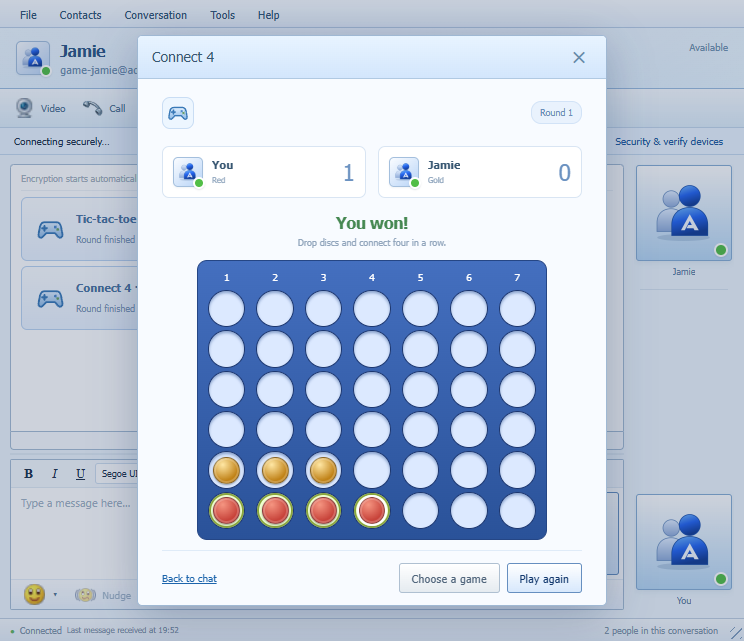
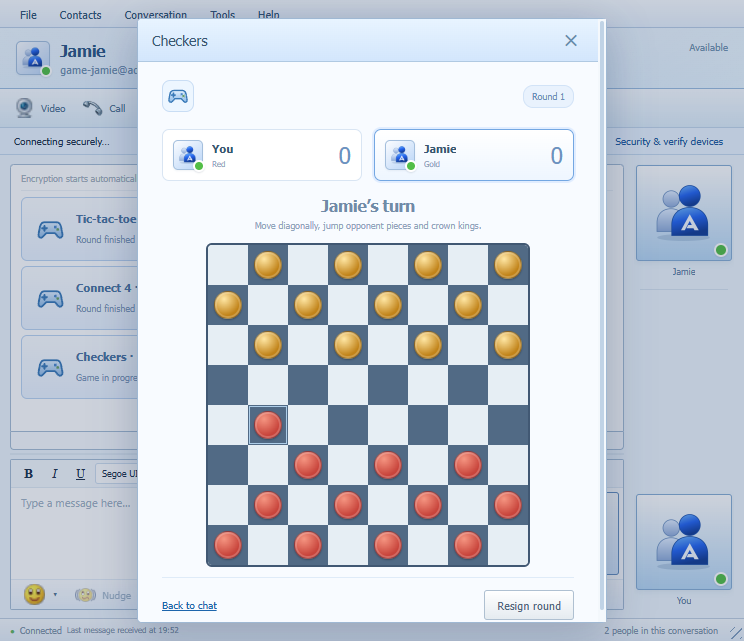
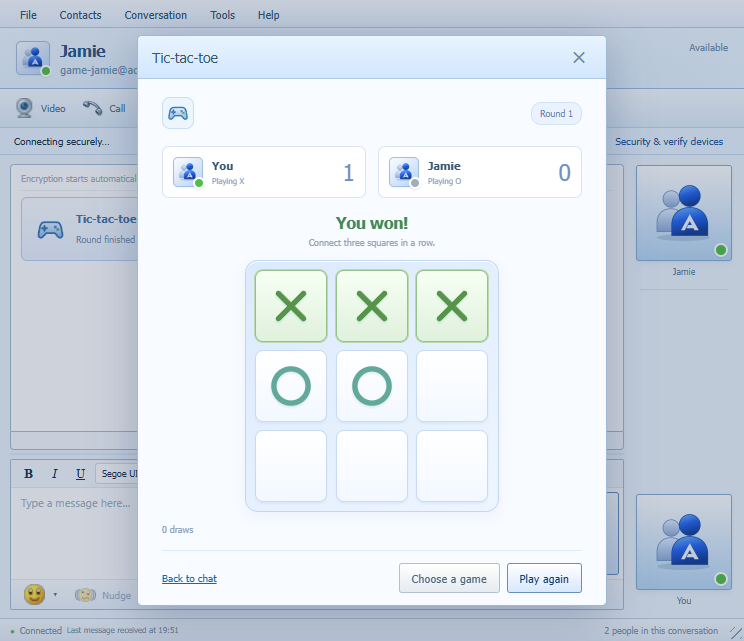
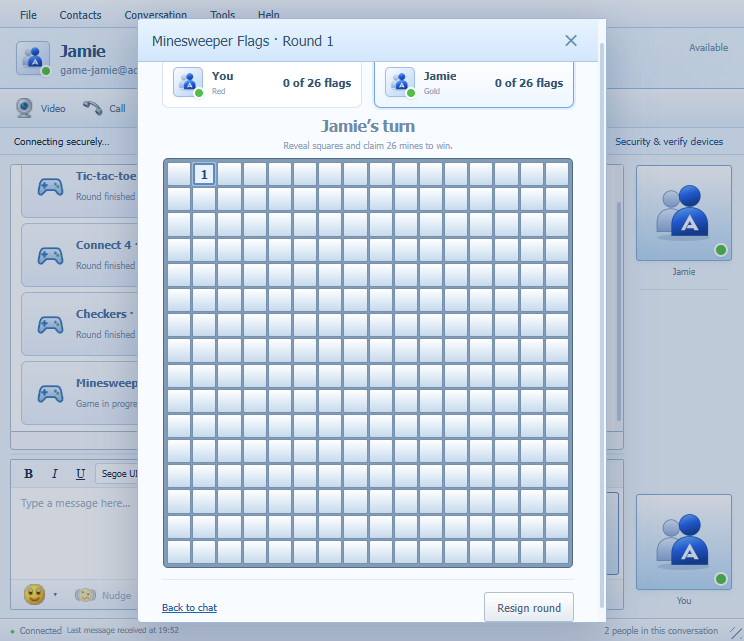
That old Messenger feeling. Automatic encrypted chats, files, video and voice calls.
Download for Windowsv0.5.57 · Free RC · 64-bitRead the Terms, Software Licence and Privacy Policy before using ADL Messenger.
A friendly heads-up. The Windows download is a release candidate. Read the release notes before installing. Choose the installer to open contact links from your browser. Voice and video quality depend on your devices and internet connection.
The five newest releases. Download the latest version.
The Windows installer and automatic updates use the new code-signing certificate.
Windows release candidate.
f5b371c464e51c1ad76ddff0d161fe39ec25c34f2fb2a3fecc38f7cdcd51693aThis version prepares Messenger to receive the next Windows update automatically.
Windows release candidate.
Messenger handles interrupted connections and restores chat windows more reliably.
Windows release candidate.
Copy your personal Messenger UID and find people by their exact number in Meet People.
Windows release candidate.
See who can find you when you save your Meet People profile.
Windows release candidate.
Download the latest version for current features and fixes. Older entries are release notes only.
Install the Windows app, choose your Messenger ID and verify your email.
Copy your contact link or add a friend’s Messenger ID. They approve the request.
Device and chat encryption start automatically. Set your status, send a message or start a private video call. Device comparison is optional.
On Windows, open Tools → Messenger settings → General → Messenger language. You can also choose Thai during Windows setup.
On Android, open Messenger language at the top of Options or on the sign-in screen, then search for a language.
Yes. ADL Messenger is an independent MSN Messenger alternative by Asia Design Lab, inspired by the Windows Live Messenger 2009 era. It uses ADL accounts and servers, our own branding and artwork. It doesn’t connect to Microsoft’s retired Messenger network or import old Microsoft contact lists.
One tick means the server has received your message. Two grey ticks mean delivered, and two blue ticks mean everyone has read it. A clock after the time marks a disappearing message.
Open your Messenger profile to edit your picture and personal details. In your privacy settings, choose whether your profile is public or private.
Install ADL Messenger on 64-bit Windows or try the Android Beta on Android 8 or later.
Yes. Sign in with the same Messenger ID or verified email on each device. Contacts and read status sync across devices. Older encrypted messages and files can unlock automatically when you use the same account and an updated device with the original keys is signed in. You can also restore earlier history from an encrypted key backup.
Create an ADL Messenger account and verify your email in the app. If you already have an ADL account, keep using it on both platforms.
Your chats and files are encrypted automatically after sign-in. You can compare security details with a friend for extra reassurance. Earlier unencrypted history and shared game moves remain outside this protection, and the service still uses profile and delivery information. Save an encrypted backup if you want to recover older chats: a password reset cannot recover lost message keys. Your recovery email stays private.
Yes. Call an ADL contact with encrypted voice or video, resize the picture or go full screen. Picture and sound quality depend on both devices and internet connections. Calls connect ADL accounts; they do not call ordinary telephone numbers.
Yes. Start a group video call from an ADL Messenger group chat on Windows or Android. Up to four people can join, including the host.
The installed Windows app downloads eligible updates in the background. It can install them automatically when Messenger is idle. If an update is ready and you want to apply it now, choose Restart to update.
If you have Windows 0.5.29–0.5.31 installed, turn on Automatic updates in Updates & about, then choose Exit once the update is ready. If you use an earlier version, you may need to run the latest installer once.
On Android, enable automatic updates under App updates in Messenger.
Discover apps and businesses from the Messenger banner. A small introduction, from our corner of the internet to yours.
Want your business here? Let’s talk ↗Advertisements · Managed by the ADL team. Opens the advertiser’s website. No personalisation from your private chats.
ONE LAB. MORE POSSIBILITIES.
Three original applications. One independent design lab.
Meet the Asia Design Lab family ↗
Your people.
All day long.
Invite 25 new friends who complete 60 days of qualifying activity. Apply first. Limited places. Terms apply.


The hello doesn’t stop here.
Meet other Messenger fans, share what you miss and help shape what comes next. Come say hello.
Find your people on Discord.
Join the ADL Messenger community for conversations, ideas, help and a little desktop-chat nostalgia.
Join our Discord server ↗ (opens in a new tab)A familiar face in your feed.
Follow ADL Messenger on Facebook for app news, new features and moments worth bringing back.
Follow us on Facebook ↗ (opens in a new tab)Discord and Facebook open on their own websites. Please keep account details and private chats out of public posts.